
This is an introduction summary for the method and setup.
Design of Process Models and HMI:
Equipment objects are configured in Units, for device type. Programs are setup using steps and normal automation aspects such as comparisons and selections for activations etc. are made using drop-downs. Screens are built by placing device and list objects onto the screens and the setup and the system can be tested using PC emulator.
…
Implementation in a PLC:
After testing the configuration is downloaded to a PLC which contains the Accord PLC Runtime library which implements the control system from the Model. Each object is processed, either in turn, or due to a link.
The library does not compile to make a new program; the program is always fixed and stable.
The PLC method works by looking up the type and identity of the configured item and reference. For example, if a Valve is configured to be interlocked by a Low Level switch the library code will look up the current state (timed result) of the switch and apply the Interlocked state to the Valve if the Low Level is present.
The PLC Runtime Library is usually copied into the overall PLC project (containing hardware layout etc) using standard PLC Editor.
…
Data and User Management:
The Server module knows the addresses of all the object data in the PLC and automatically makes relevant data available for HMI and other modules with correct read/write properties and limits for any value settings. Server also manages security so that only relevant settings are available for users.
The module communication is carried out using fast, secure MS WCF software. Audit entries for every operator action and also for selected (logged selection) process value or event are stored automatically.
…
Visualisation:
The HMI client is just a client of Server, and can easily be installed on a networked PC. The configuration of the HMI screens is stored in Server database and is transferred to the client PC when the HMI software is started. All limits, states and security functions are automatically up-to-date on every client PC.
…
Managing Recipes & Automatic Program Execution:
These modules are also clients of the Server, and can be installed separately on client PC’s, with just configuration required for the instance they are being used for.
…
Auditing Historical Information:
The Process and Security audits provide the ability to examine any past status or event. Again, they are clients of server and in effect perform large configurable queries of the process database, converting the settings to SQL Query and returning the data into the framed tables.
…
Putting in a Hot Standby:
A second PC can act as a hot-standby (auto-switchover) backup for the Server PC. The selection of the functions as Primary and Partner and the linking is carried out using a drop-down and search, once the two PC’s are on same network. If the Primary fails the Partner will automatically poll PLC’s and provide information for the clients. The Partner PC updates historical data in the Primary PC when it restarts.
…
Quick Screenshot type introduction :
…
please use the arrows ->
1 – Arrange Equipment in Model
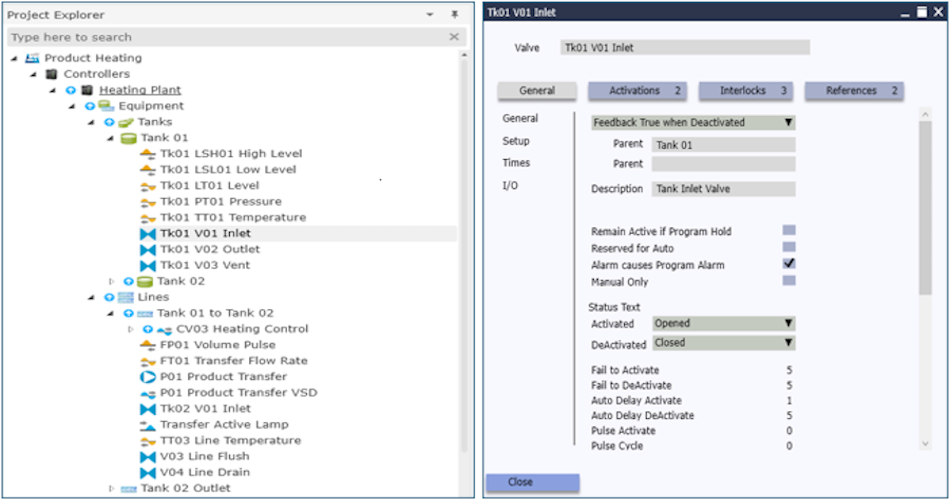
Quickly configure Equipment Units and Devices
2 – Configure Program Items
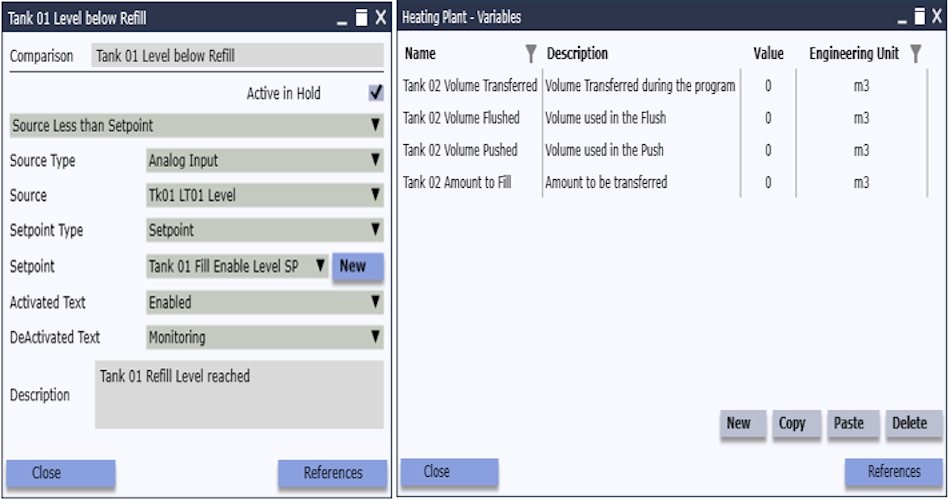
Set up Program Items using common elements
3 – List Items in Steps and Steps in Program
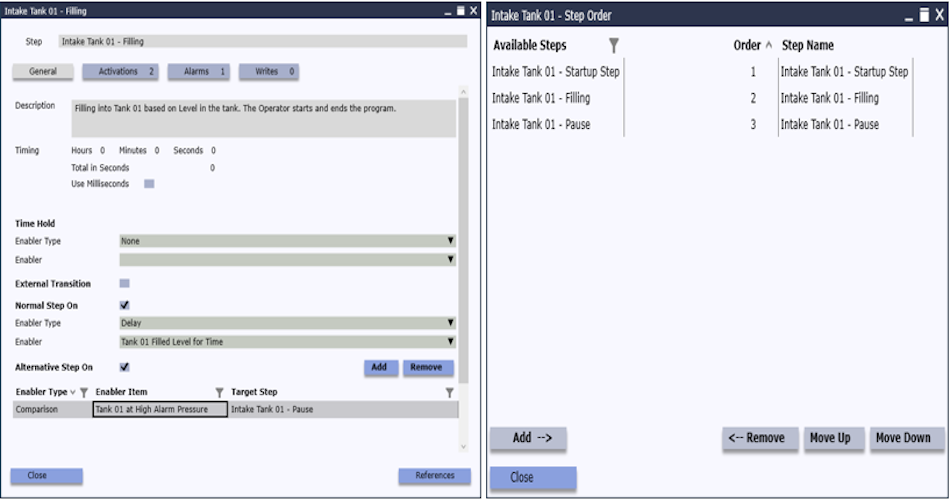
Include Items in Steps and Steps in the Program
4 – Configure PLC Connection, Download, configure Users, Logging etc
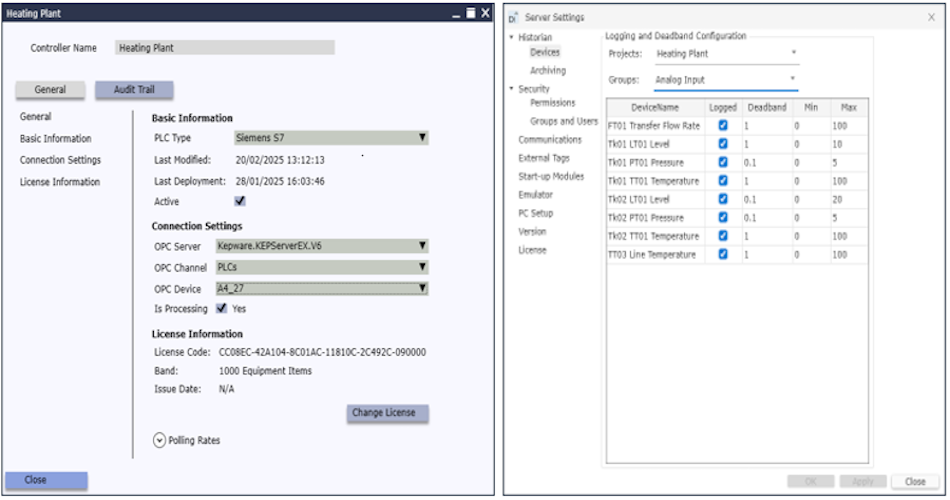
Download the Model to PLC and configure Users, Historian and other settings for Scada management.
5 – Configure HMI Screens using Model objects
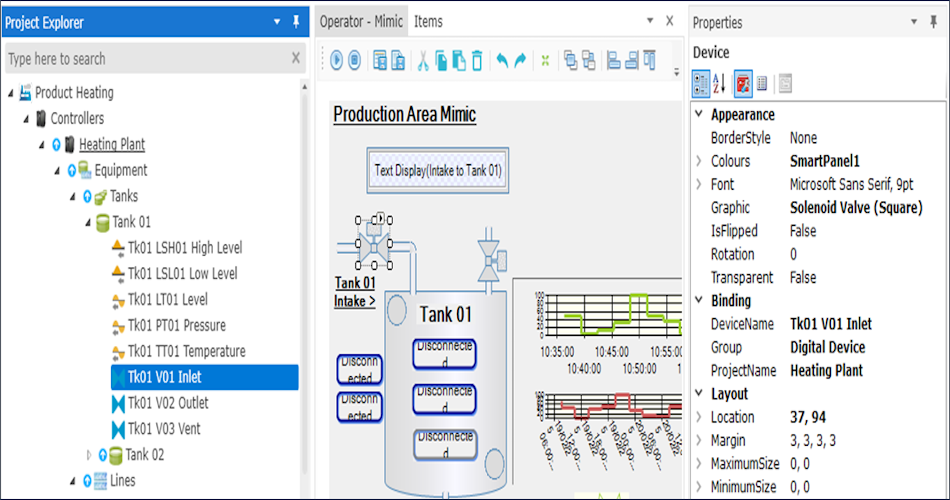
Drag Objects from Model onto HMI Screens for Tag free and code free functionality
6 – View HMI
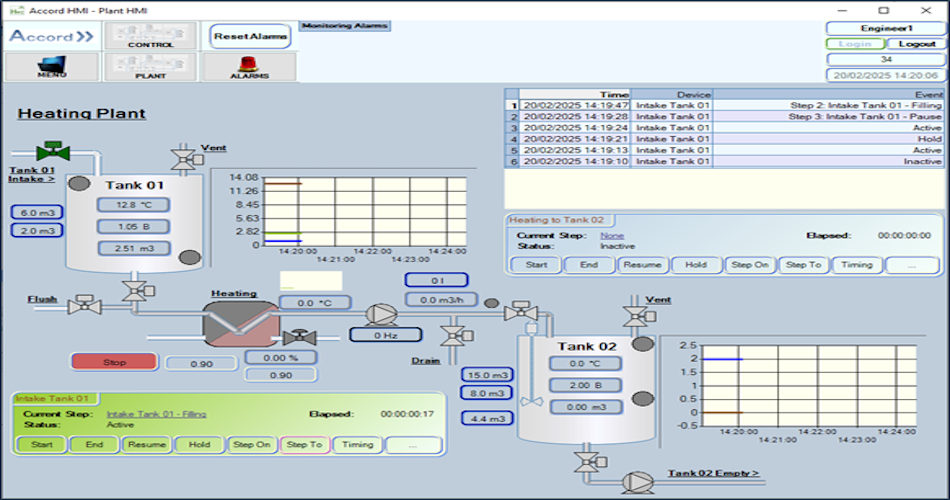
Full feature HMI automatically linked to PLC Model objects.
7 – Add Recipes for Programs
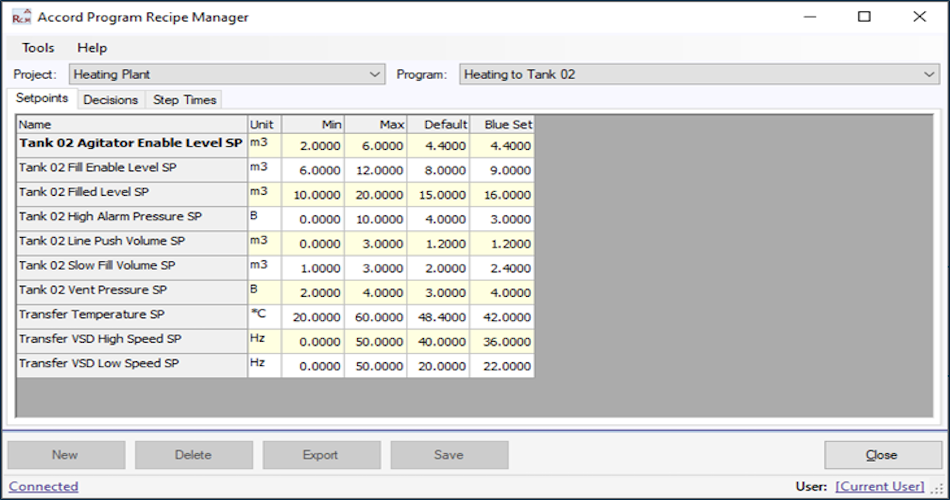
Add Program variations for Setpoints, Selection Decisions and Times
8 – Add Plans for MES Functions
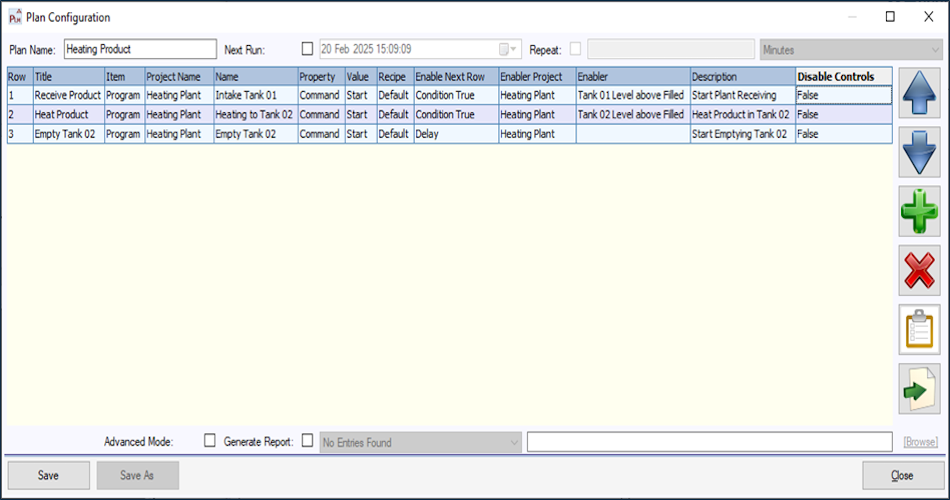
Plans allow Schedules of Programs, or other Plans to run in sequence
9 – Use Audits and Reporting for Traceability
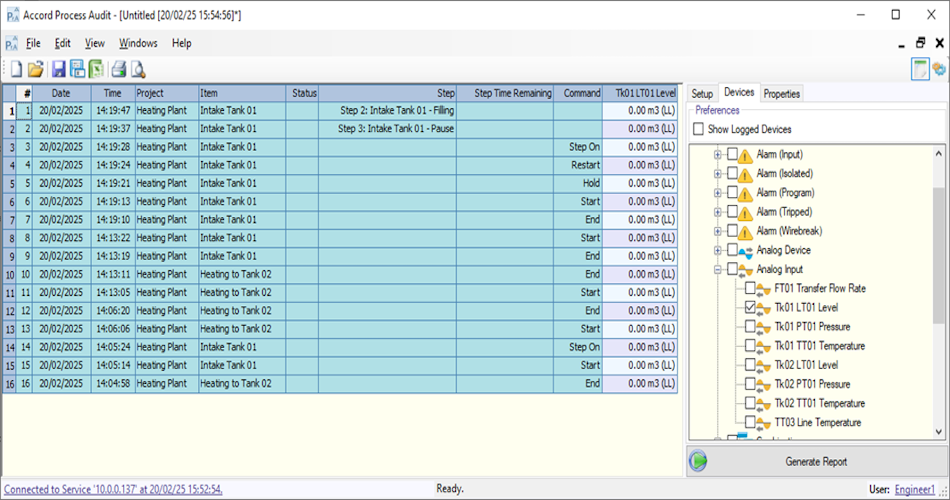
All Items can be logged and available for Reports from Process and Security Audit Trails